

Here is a completed animation that I created to support the provided voiceover.
Below is a brief summary of my process for taking this short piece from concept through to completion, followed by a more in-depth look at each stage including visuals/videos.
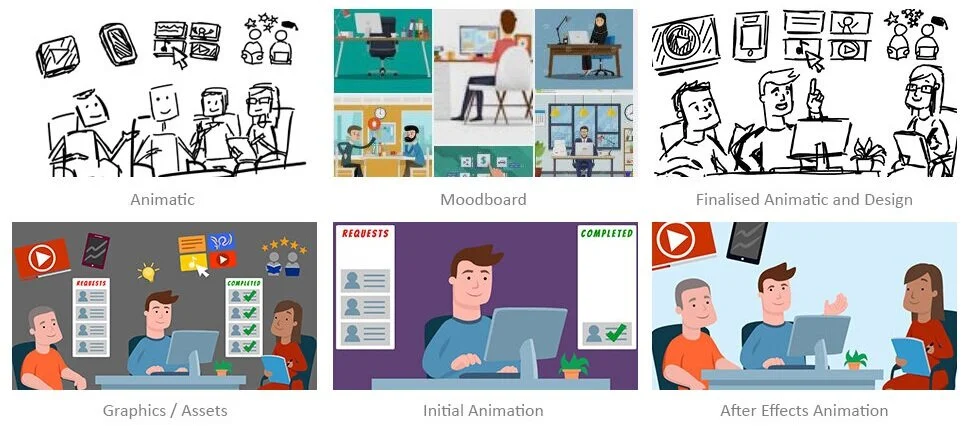
My Process in Full Detail
Stage 1 - Initial Animatic
Approx. 50 mins
I roughly sketched out some initial ideas for graphics and actions to support the audio file. I scribbled out a few different concepts but chose to progress with this one.
Usually, I’d invite my client to give feedback at this stage but, for this test piece, I’m happy to assume that this animatic has been signed-off.
2 - Moodboard
Approx. 10 mins
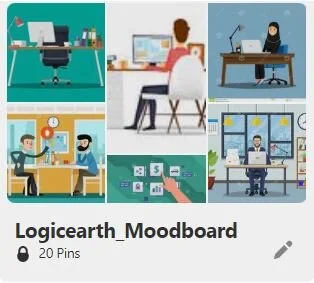
I created a Pinterest board to save any images that I found inspiring before moving on to my final designs.
3 - Finalised Animatic and Design
Approx. 50 mins
With a clearer idea of the look and feel that I wanted to achieve, I updated my animatic to reflect this style. I decided to remove one of the characters to save time - I feel that three characters illustrate the ‘team’ just as well as four would have (the forth person isn’t necessary). I also replaced the animated cogs with stars, for a similar reason.
Again, I would usually invite feedback at this stage (to reduce the risk of any large/time-consuming changes being requested once the final graphics are being created).
4 - Graphics / Assets
Approx. 3 hr 30 mins
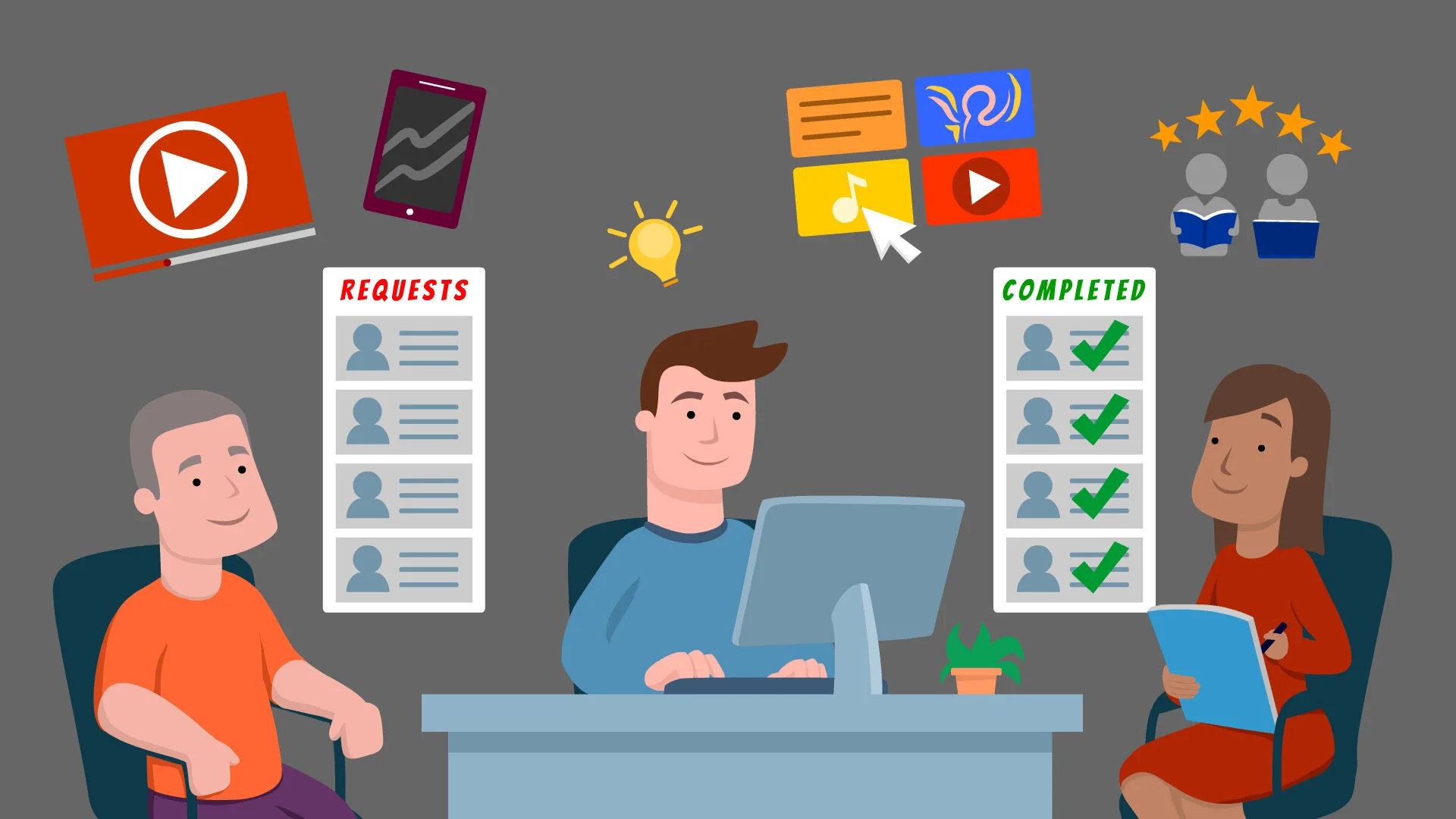
I created all of the graphics in Animate CC and set them up for animation. If I felt I had more time to work on the graphics, I would usually create the graphics in Adobe Illustrator because I find that has some helpful drawing tools that Animate does not.
5 - Initial Animation
Approx. 1 hr 20 mins
I animated the majority of the graphics in Animate CC because I find it quicker and easier to create my initial animations and edit my graphics in Animate rather than After Effects.
6 - After Effects Animation
Approx. 60 mins
Once I was happy with my animation, I added some additional movements in After Effects to bring it to life a little more. I also went back and edited the ‘mobile’ and ‘staff’ icons as they didn’t look quite right in context.
Time Management
I managed to get this to a point where I was fairly happy with it after spending 7 hours on the project. By that time, I’d created the full animation in Animate CC. However, I wanted to add some additional animation in After Effects, and then I chose to go back and tidy up some of my graphics before deciding that this was at a stage where it may be signed-off by the client.
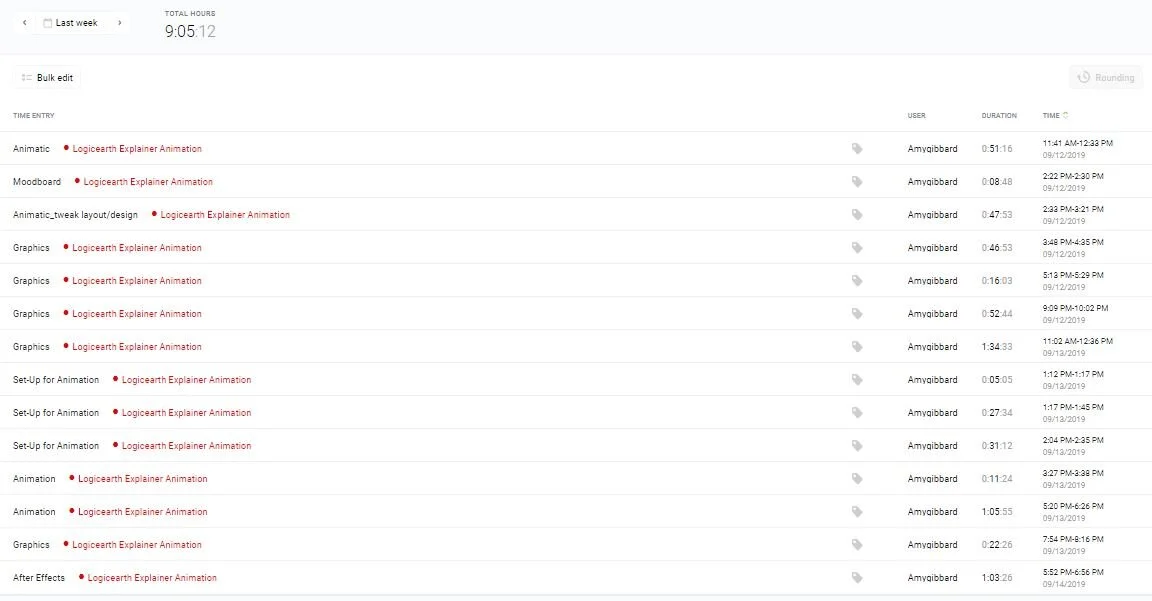
Below is a full breakdown of the time I spent working on this. Please note that, due to other commitments, I didn’t have a full day to dedicate to this project so I juggled it around my other tasks/appointments.
If I had more time, I’d…
Add a bit more character animation - especially to the two extra characters, and to Dave’s raised hand as the icons appear above him
Play with the lighting - adding a soft, animated glow from Dave’s monitor and the lightbulb. I’d also add some shadows to the desk, background and characters
Play with textures - adding subtle textures to the characters’ hair and clothing, and possibly to the background
Also be tempted to add some sound effects.
These are things that I would consider to be ‘nice to haves’, I don’t feel that they are necessary to communicate the message or to complete the animation but they would add more visual interest to the piece.